


APPLE BANK SMARTSTART BANKING
FOR YOUNG ADULTS
SmartStart Banking for Young Adults
Why you'll love Apple Bank SmartStart Banking.

No bank fees
Whether you're saving for your next trip, paying for gas, or buying lunch, enjoy the freedom to spend your money without worrying about hidden bank maintenance fees or debit card purchase fees2.

No need to search for an ATM. Access your money at home or away with free, unlimited ATM withdrawals—worldwide. Typical ATM fees are a few dollars per withdrawal. Make 8 a month; you could save hundreds per year.

Parents can easily send you money to help keep you covered when needed for school expenses, food, rent, travel, birthday gifts, and emergencies.
Apple Bank SmartStart Banking helps you do the things you need to do every day—but better.
Make hassle-free payments.
From your daily coffee runs to weekend plans, and rent, Apple Bank SmartStart Banking makes it easy to pay in a variety of ways. Free up your time and avoid late fees with automated payments. Either tap your debit card or add it to Venmo, CashApp, or your mobile wallet for contactless payments so that you don’t have to carry cash or a card.
Send & receive money with Zelle®3
Split lunch, cover rides, or payback friends. In as little as a few minutes, send money to people and businesses you know and trust. Simply select the person you want to send money to and enter how much. All you need is their name, email, or U.S. mobile number.
Move money between accounts.
Whether receiving money from your parents or moving money between your own accounts, it’s straightforward and can be done from your smartphone in just a few moments. Set up automated, re-occurring transfers between accounts to pay regular expenses or move money from your Apple Bank SmartStart Banking to your Apple Bank SmartStart Savings to set aside money each month towards your bigger goals.
Easily track your spending.
Keep track of your spending without any extra work. Your transactions are automatically categorized for you with spending summaries in the mobile app4. It will show you exactly where your money goes each month and organize your expenses into manageable topics such as food, entertainment, transportation, and travel.
Achieve spending & saving goals.
Whether it’s a vacation, your first car, or saving for your future, Apple Bank SmartStart Banking digital tools will help set up and manage a budget and make it simple to monitor your progress. Take it a step further by opening an Apple Bank SmartStart Savings account—easily transfer funds between accounts and watch your savings grow faster.
Access your money anytime with the Apple Bank Mobile App.4
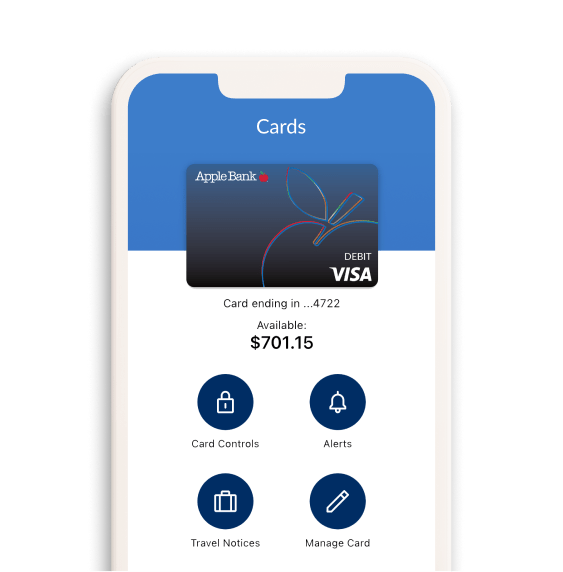
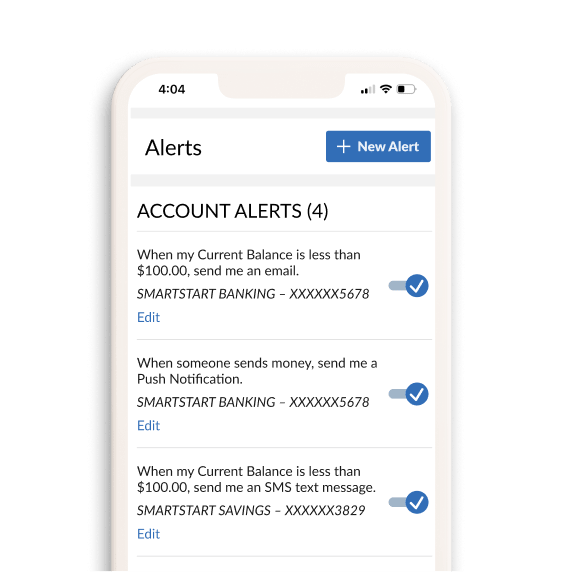


Get mobile alerts when a purchase is made using your debit card. Immediately turn your debit card off6 if you misplace it. Set spending limits for yourself and get a notification when you are at your limit. You can even tell us if you are traveling to ensure the security of your purchases and avoid interruption of using your card.
Enable notifications to stay informed of your daily balance, incoming deposits, and daily transactions without having to log in.
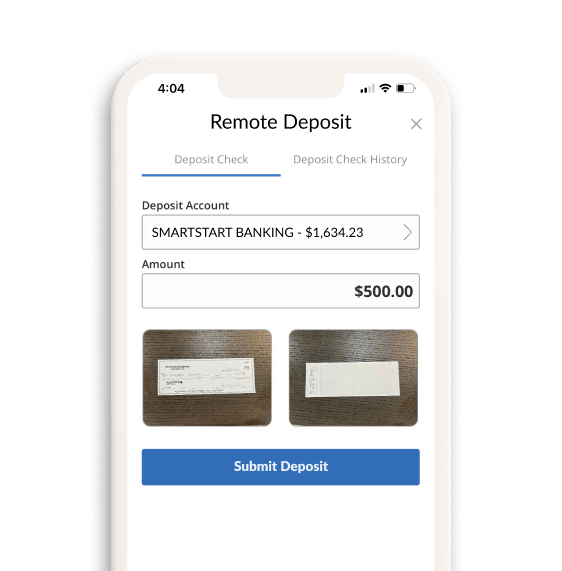
Whether it’s a birthday check or your paycheck, you can deposit it to your Apple Bank SmartStart Banking account quickly, without having to visit a branch. Simply snap a photo of the check using your mobile device.7
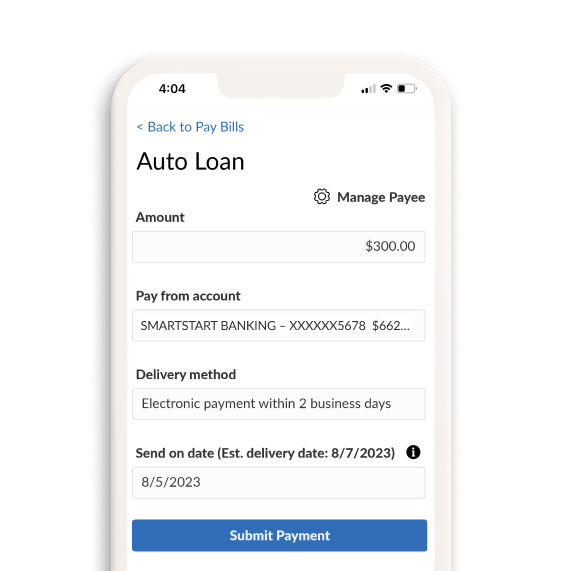
Set up your bills to be automatically paid on your schedule—the day you want. Spread it out over the month if you need to by scheduling multiple payments.
Check out these SmartStart Money Tips
Explore these tips and tools to help you make smart money moves and confidently build the future you envision.

Spend less on eating out and delivery to save for more important things.
Skipping routine, expensive coffee drinks, fast food, and pizza delivery can really add up to substantial savings over time —providing you with more money to put towards your goals.
Consider making coffee at home, buying fruit bars, and other easy to grab and go food to take with you vs. eating out. Doing this even a few days a week can make a difference.

One of the best financial decisions you can make is to plan for the unexpected.
While this may seem hard to do, start small and aim to save 3 months’ worth of your living costs.
Consider selling unwanted items or cancelling apps and memberships you may not be using to earn extra money for savings. Think of your emergency fund as the bill you pay to yourself each month—and pay yourself first!

You may not be getting the best interest rate on your student loans.
Paying high student loans? Whether you owe federal or private lenders, student loan refinancing can help you consolidate and possibly reduce your monthly payments. This can help you pay off the debt faster and have more to spend on things you need and care about.

Budgeting is useful in college and beyond.
Split income into three categories of spending. Some suggestions are: 50% for needs, 30% for wants, and 20% for savings. Focus on essentials like food, transportation, and housing first. Then, set saving goals and spending limits for extras like entertainment and eating out with surplus you have after essentials are taken care of.
Simplify budgeting by setting up automatic deposits, automatic payments, and alerts for reaching spending limits.

Avoid interest charges by paying off your entire balance each month.
It’s a smart way to spend less now while building strong credit for your future. If you are carrying a larger balance than you can pay off in a month, you are spending too much.
Automating your payments using your SmartStart Banking account is an easy way to make sure your debts are being paid so you avoid racking up additional costs in late fees.

Plan your meals ahead and shop with a list to reduce costs.
Having a grocery list will help reduce unplanned purchases, prevent waste, and make budgeting easier. Choosing store brands and using coupons can help you save more. And don’t forget to bring your own bag. Many stores now charge you for them.
Saving just $10 dollars a week on your groceries can add up to $520 dollars a year—enough for a plane or festival ticket!

Regularly review your streaming services and online subscriptions.
It’s likely you have a lot of apps and services you may not be using. Set a reminder to review them every few months and cancel any you don’t need—keeping only the ones that you really love and add real value to your life.

Set up automatic transfers from your checking to your savings account.
Strive to save 10%-20% of your income each month. In the mobile app you can automate your savings by setting up automatic transfers from your SmartStart Banking to your SmartStart savings account, so you don’t even think about it. It’s a simple way to build good financial habits and consistently put money toward future goals.

Boost your earnings by exploring side gigs or freelance work.
Whether it’s a passion project or a skill you can monetize, additional income helps you save faster and gives you more financial flexibility.
Apple Bank Visa® Debit Card5 can help you save more.
Apple Bank SmartStart Banking comes with an Apple Bank Visa® Debit Card that provides extra benefits. Enjoy ways to save on everyday purchases and travel, plus other features that make your life easier.
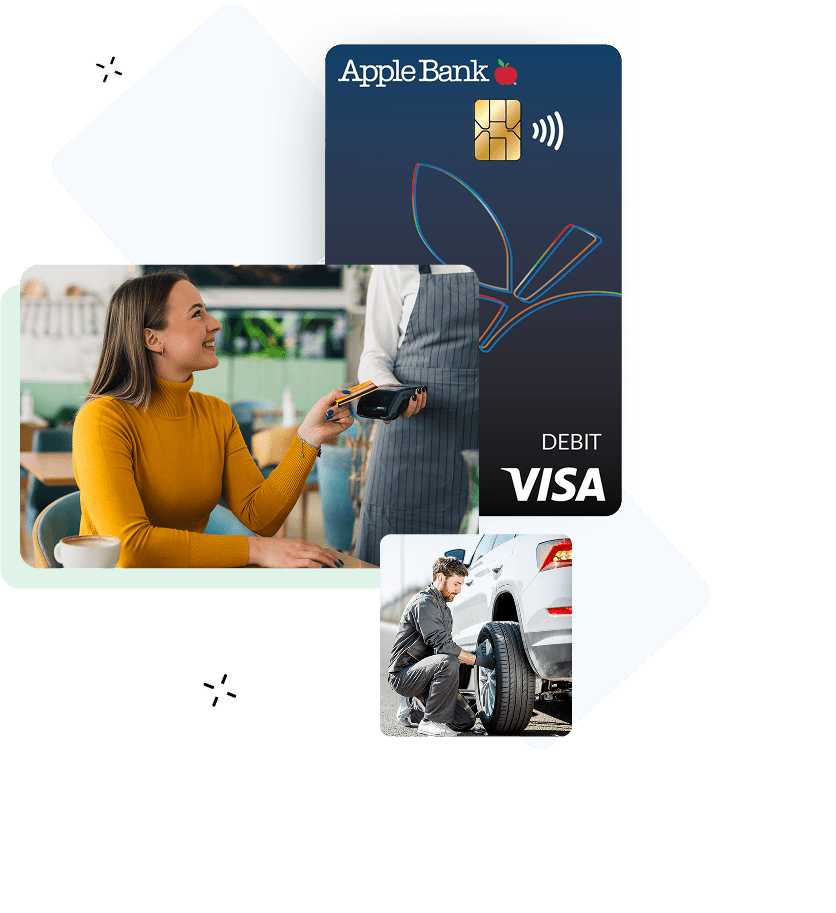
- Merchant Discounts – Locate discounts from a wide variety of businesses including hotels, travel excursions, car rentals, sports gear, and other participating merchants. Claim Exclusive Perks with Your Debit Card
- Booking.com - Purchase qualifying stays with your Visa Debit card and get up to 8% back in Travel Credits to use on future flights, stays, car rentals, attractions, taxis and more. Sign Up for free
- Dovly Premium – A mobile and web app that tracks, manages, and fixes your credit score for free—worth $120 per year. This Visa Debit Card perk includes a smart credit engine, credit monitoring, alert systems, and automated dispute services. Learn About Service
- Sofar Sounds – A global music community that connects artists and audiences through live music. Validate your debit card to unlock presale tickets and access two free ticket offers per year. Explore Your Visa Debit Benefits
See why others love Apple Bank SmartStart Banking.
Open your account with $100 and just a few clicks.

Apply Online or in a Branch
You only need $100.00 as a minimum opening deposit and your government issued ID (e.g., driver's license, passport, state ID).
Download the Mobile App4 from the App Store® for Apple devices or the Google Play™ Store for Android™ devices.

Get your debit card by mail in 5-7 business days. Set up your digital wallet to use Apple Pay®, Samsung Pay®, or Google PayTM to tap to pay almost anywhere.

Have questions? We're here to help.
An Apple banker at your local branch is ready to assist you.
Or call: 914-902-2775 | TDD: 800-824-0710
SmartStart Banking FAQs
Answers to frequently asked questions.
The SmartStart Banking account is geared towards young adults opening their first bank account to make deposits, pay bills and make payments. The account can be opened by a young adult ages 18-25 in their own name or with a joint owner.
SmartStart Banking allows a full array of banking capabilities. To name a few, you can make deposits and withdraw money, make debit card purchases, pay bills, and make payments to or from friends or family you know and trust with Zelle®3.
If you are age 18-25 you can open this account individually or with a joint account holder. Any child aged 13+ can be a joint account holder with their parent or legal guardian. Once the account holder turns 26, the account will automatically convert to an Apple Bank Simple Checking account within the next quarter following their 26th birthday.
The minimum amount to open this account is $100.
No, the SmartStart Banking account has no monthly maintenance fees.
No, the debit card does not have any fees!
- ATM: There are no fees when using non-Apple Bank ATMs. Plus, Apple Bank will reimburse all surcharges imposed by the ATM owner/operator during each statement cycle period.
- Point-of-Sale Transactions (POS): There are no fees for domestic and international POS transactions.
Yes, you are able to enroll in online banking. You can do this by downloading the Apple Bank Mobile App4 or enrolling at applebank.com. You and your child will register separately and have your own online banking profile with your own User ID and password.
Through online banking you and your child can transfer money, discuss debit card spending, and practice budgeting skills.
1 The Apple Bank SmartStart Banking account is available to teens and young adults ages 13 through 25. The Apple Bank SmartStart Banking account requires a $100.00 minimum deposit to open an account. There is no minimum daily balance requirement to maintain this account or monthly maintenance fee regardless of account balance.
2 There are no fees when using non-Apple Bank ATMs, and Apple Bank will reimburse all surcharges imposed by the ATM owner/operator during each monthly statement cycle period. There are no fees for domestic and international Point-of-Sale Transactions when using an Apple Bank Visa® Debit Card.
3 U.S. checking or savings account required to use Zelle®. Transactions between enrolled consumers typically occur in minutes.
4 Data fees from your mobile carrier may apply.
5 Account holders ages 13 through 17 are eligible to request an Apple Bank Visa® Debit Card for this account where the account is joint with a parent or guardian. Accountholders 18 years and older may request a debit card without a parent or guardian.
6 When you place a lock on your debit card, it will prevent most types of card transactions from being processed until you take action to unlock your card. However, locking your card will not stop card transactions presented as recurring transactions, transactions that occurred prior to locking the card, or the posting of refunds, reversals, or credit adjustments to your account. Locking your card is not a replacement for reporting your card lost or stolen. This feature is available on the Apple Bank Debit Card app for Apple and Android devices.
7 Mobile check deposits are subject to verification and to Apple Bank’s rules governing funds availability. For Apple Bank’s funds availability schedule, see the About Your Apple Bank Accounts Rules and Regulations, “Funds Availability”.
Zelle® and the Zelle® related marks are wholly owned by Early Warning Services, LLC and are used herein under license.
The Contactless Symbol and Contactless Indicator are trademarks owned by and used with permission of EMVCo, LLC.
Apple, Apple Pay® and App Store are registered trademarks of Apple Inc
Google Play and Google Pay™ are trademarks of Google LLC.
Venmo is a service of PayPal, Inc., a licensed provider of money transfer services. All money transmission is provided by PayPal, Inc. pursuant to PayPal, Inc.’s licenses. © 2021 PayPal, Inc.
Visa is a registered trademark of Visa International Service Association and is used by the issuer pursuant to license from Visa U.S.A Inc.
This page includes synthetic images.