


SMARTSTART BANKING FOR TEENS
SmartStart Banking for Teens
Your peace of mind, their independence.
Apple Bank SmartStart Banking is a joint account designed for teens that enables parental oversight and provides tools to help teens develop money management skills.

You and your teen get individual logins making it easy to oversee spending, provide guidance, pay allowance, and transfer money to fund the account.

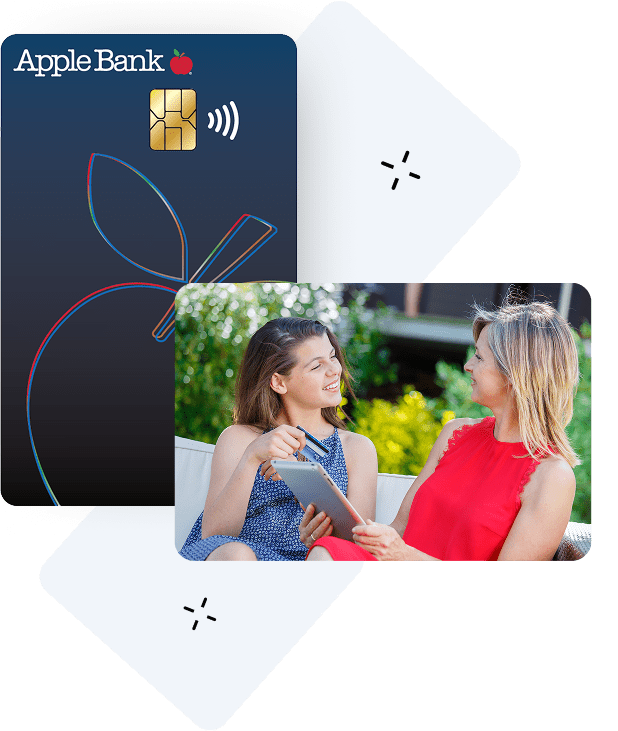
Teens get a fee-free Visa® Debit Card that can be used for making purchases and free ATM withdrawals—worldwide.2

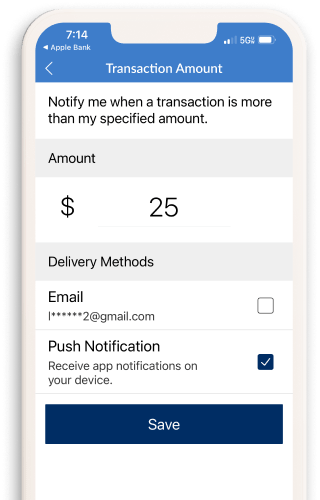
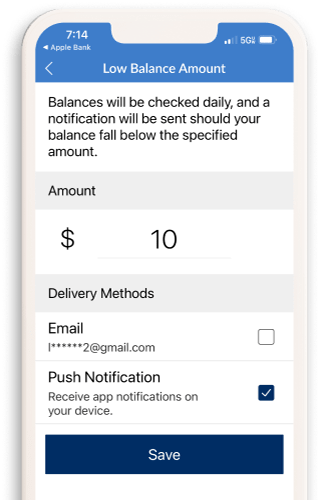
You and your teen can easily monitor balance and transactions via automated notifications, and you can quickly add money to their account using the Apple Bank Mobile App.
Get hands-on experience managing money.
Build money skills that last.
Help your teen learn to manage money and gain strong financial habits. From learning to use a debit card responsibly to tracking their balance and managing spending with our easy-to-use digital budgeting tools. Apple Bank SmartStart Banking is the perfect foundation for building smart money habits that will last a lifetime.
Manage spending with confidence.
No need to give your kids cash that can be misplaced or your credit card that can lead to overspending. With the fee-free Visa® Debit card1, your child has a variety of ways to pay for clothes, hobbies, food, or a day out with friends. Teens can also add their debit card to Venmo, CashApp, or WhatsApp, and use Zelle®5 to pay friends or businesses they trust. You can monitor their spending and easily transfer money to their account when needed.
Send money for daily expenses and allowance with ease.
Apple Bank SmartStart Banking makes it easy for you to fund your teens’ account for allowance, routine expenses, trips to the mall, ride shares, school needs, or unexpected emergencies. Your teen can send money to pay back friends or receive money from people they trust using Zelle®5.
Deposit Checks Securely
Whether it’s a birthday check, allowance, or paycheck, deposits are quick and easy without having to visit a branch4. Your teen can simply snap a photo of their check using their mobile device.3
Monitor your balance, deposits and spending.
Enable push notifications using the Apple Bank mobile app3 to monitor daily balance, incoming deposits, daily spending, and more without having to log in. Spending is automatically categorized into buckets such as Entertainment, Food, Shopping, and Transportation so you can review together and discuss responsible spending habits.
Manage your debit card digitally with the Apple Bank Debit Card App3.
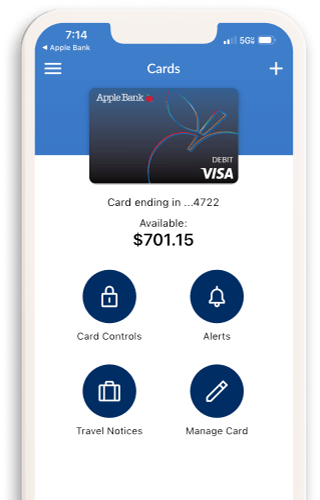
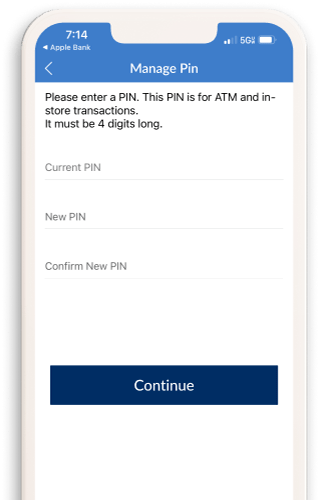
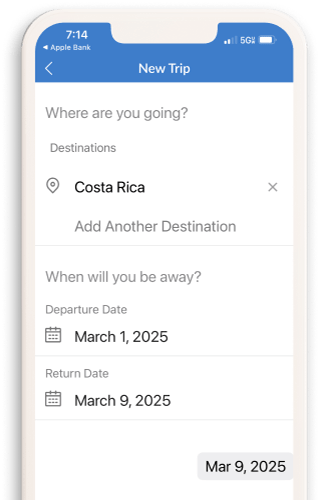
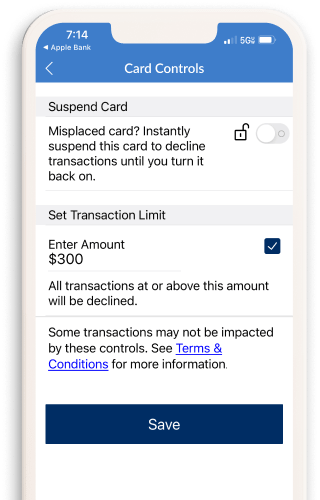


Why parents love Apple Bank SmartStart Banking for their teens' first bank account.
When it comes to opening your kid’s first bank account, you have many choices. SmartStart Banking gives you a safe and simple way to help your teen build strong money management skills while keeping you fully involved. Along with the fee-free debit card, you get powerful digital tools that make it easy to monitor the account without a lot of added effort. And, with features like $0 liability on the debit card7, the ability to turn it off6 if misplaced, no minimums and no ATM fees2, you’ll have peace of mind knowing both you and your child are covered.
See what parents have to say about Apple Bank SmartStart Banking
Ready to get started with Apple Bank SmartStart Banking?

Apply Online or in a Branch
Apply online or visit a branch. Bring your government-issued identification (e.g., driver's license, passport, state ID).
Download the App
Download the Mobile App3 from the App Store® for Apple devices or the Google Play™ Store for Android™ devices.
Get Your Debit Card
Get your debit card by mail in 5-7 business days. Set up your digital wallet to use Apple Pay®, Samsung Pay®, or Google Play™ to tap to pay almost anywhere.

Have questions? We're here to help.
An Apple banker at your local branch is ready to assist you.
Or call: 914-902-2775 | TDD: 800-824-0710
SmartStart Banking FAQs
Answers to frequently asked questions.
The SmartStart Banking account allows you and your child to learn the basics of banking. It is available to open as a joint account with your child ages 13-17. Your child is the primary account holder and they have access, as well as you, to make transactions on the account.
Yes, account holders ages 13 through 17 are eligible for a fee-free debit card1. The Apple Bank Visa® Debit Card can be issued to your child as long as the account is joint with a parent.
Your child can make deposits and withdraw money, make debit card purchases, and can make payments to or from friends or family they know and trust with Zelle®5.
Any child aged 13+ can be a joint account holder with their parent. Once the account holder turns 26, the account will automatically convert to a Simple Checking account within the next quarter following their 26th birthday.
The minimum amount to open this account is $100.
No, the SmartStart Banking account has no monthly maintenance fees.
No, the debit card does not have any fees!
- ATM: There are no fees when using non-Apple Bank ATMs. Plus, Apple Bank will reimburse all surcharges imposed by the ATM owner/operator during each statement cycle period.
- Point-of-Sale Transactions (POS): There are no fees for domestic and international POS transactions.
Yes. Both you and your child are able to enroll in online banking. You can do this by downloading the Apple Bank Mobile App3 or enrolling at applebank.com. You and your child will register separately and have your own online banking profile with your own User ID and password.
Through online banking you and your child can transfer money, discuss debit card spending, and practice budgeting skills.
The Apple Bank SmartStart Banking account is available to teens and young adults ages 13 through 25. Minors ages 13 through 17 must have a parent or guardian as a joint accountholder on the account. The Apple Bank SmartStart Banking account requires a $100.00 minimum deposit to open an account. There is no minimum daily balance requirement to maintain this account or monthly maintenance fee regardless of account balance.
1Account holders ages 13 through 17 are eligible to request an Apple Bank Visa® Debit Card for this account where the account is joint with a parent or guardian. Accountholders 18 years and older may request a debit card without a parent or guardian.
2 There are no fees when using non-Apple Bank ATMs, and Apple Bank will reimburse all surcharges imposed by the ATM owner/operator during each monthly statement cycle period. There are no fees for domestic and international Point-of-Sale Transactions when using an Apple Bank Visa® Debit Card.
3Data fees from your mobile carrier may apply.
4 Mobile check deposits are subject to verification and to Apple Bank’s rules governing funds availability. For Apple Bank’s funds availability schedule, see the About Your Apple Bank Accounts Rules and Regulations, “Funds Availability”.
5 U.S. checking or savings account required to use Zelle®. Transactions between enrolled consumers typically occur in minutes.
6 When you place a lock on your debit card, it will prevent most types of card transactions from being processed until you take action to unlock your card. However, locking your card will not stop card transactions presented as recurring transactions, transactions that occurred prior to locking the card, or the posting of refunds, reversals, or credit adjustments to your account. Locking your card is not a replacement for reporting your card lost or stolen. This feature is available on the Apple Bank Debit Card app for Apple and Android devices.
7 U.S. issued cards only. Visa’s Zero Liability policy does not apply to ATM transactions or PIN transactions not processed by Visa. See your Cardholder Agreement for details.
Venmo is a service of PayPal, Inc., a licensed provider of money transfer services. All money transmission is provided by PayPal, Inc. pursuant to PayPal, Inc.’s licenses. © 2021 PayPal, Inc.
CashApp is a mobile payment service provided by Square, Inc. (now known as Block, Inc.). Use of the CashApp name on this site does not imply any affiliation or endorsement by Square/Block.
WhatsApp is a trademark of WhatsApp LLC, a Meta company. This site is not affiliated with, endorsed by, or sponsored by WhatsApp LLC or Meta Platforms, Inc.
Apple, Apple Pay® and App Store are registered trademarks of Apple Inc. Android, Google Play and Google Pay™ are trademarks of Google LLC. Samsung Pay® is a registered trademark of Samsung Electronics Co., Ltd.
Zelle® and the Zelle® related marks are wholly owned by Early Warning Services, LLC and are used herein under license.
The Contactless Symbol and Contactless Indicator are trademarks owned by and used with permission of EMVCo, LLC.
Visa is a registered trademark of Visa International Service Association and is used by the issuer pursuant to license from Visa U.S.A Inc.